Announcing our $20m Series A from GV (Google Ventures) and Workday Ventures
•
Read More

.svg)
.svg)







import { OpenAI } from "openai";
import { StackOneToolSet } from "@stackone/ai";
const openai = new OpenAI();
const toolset = new StackOneToolSet({ baseUrl: "https://api.stackone.com" });
const tools = await toolset.fetchTools({
accountIds: [process.env.STACKONE_ACCOUNT_ID!],
});
const response = await openai.chat.completions.create({
model: "gpt-5.1",
messages: [
{
role: "system",
content: "You are a helpful intranet assistant.",
},
{
role: "user",
content: "list up all employees",
},
],
tools: tools.toOpenAI(),
tool_choice: "auto",
});
console.log(response);
import os
from dotenv import load_dotenv
from openai import OpenAI
from stackone_ai import StackOneToolSet
load_dotenv()
client = OpenAI()
toolset = StackOneToolSet(
base_url="https://api.stackone.com"
api_key=os.getenv("STACKON_API_KEY")
)
tools = toolset.fetch_tools(account_ids=[os.getenv("STACKONE_ACCOUNT_ID")])
response = client.chat.completions.create(
model="gpt-5.1",
tools=tools.to_openai(),
messages=[
{
"role": "system",
"content": "You are a helpful intranet assistant.",
},
{
"role": "user",
"content": "list up all employees",
},
],
)
print(response)
import { anthropic } from "@ai-sdk/anthropic";
import { generateText, stepCountIs } from "ai";
import { StackOneToolSet } from "@stackone/ai";
const toolset = new StackOneToolSet({ baseUrl: "https://api.stackone.com" });
const tools = await toolset.fetchTools({
accountIds: [process.env.STACKONE_ACCOUNT_ID!],
});
const { text } = await generateText({
model: anthropic("claude-haiku-4-5-20251001"),
prompt: "List up all employees",
tools: await tools.toAISDK(),
stopWhen: stepCountIs(5),
});
console.log(text);
import os
from dotenv import load_dotenv
from langchain_openai import ChatOpenAI
from stackone_ai import StackOneToolSet
load_dotenv()
toolset = StackOneToolSet(
base_url="https://api.stackone.com",
api_key=os.getenv("STACKON_API_KEY")
)
tools = toolset.fetch_tools(account_ids=[os.getenv("STACKONE_ACCOUNT_ID")])
model = ChatOpenAI(model="gpt-5.1")
model_with_tools = model.bind_tools(tools.to_langchain())
result = model_with_tools.invoke(f"Find all employees in the engineering department")
print(result)
import os
import base64
from agents import Agent
from agents.mcp import MCPServerStreamableHttp, MCPServerStreamableHttpParams
# Configure StackOne account
STACKONE_ACCOUNT_ID = "<account_id>" # Your StackOne account ID
# Encode API key for Basic auth
auth_token = base64.b64encode(
f"{os.getenv('STACKONE_API_KEY')}:".encode()
).decode()
# Create MCP server connection
stackone_mcp = MCPServerStreamableHttp(
params=MCPServerStreamableHttpParams(
url="https://api.stackone.com/mcp",
headers={
"Authorization": f"Basic {auth_token}",
"x-account-id": STACKONE_ACCOUNT_ID
}
)
)
# Create agent with StackOne tools
agent = Agent(
model="gpt-5",
mcp_servers=[stackone_mcp]
)
# Run agent
response = agent.run("List Salesforce accounts")
print(response.output)
{
"mcpServers": {
"stackone": {
"command": "npx",
"args": [
"-y",
"@modelcontextprotocol/client-http",
"https://api.stackone.com/mcp"
],
"env": {
"MCP_HTTP_HEADERS": "{\"Authorization\":\"Basic YOUR_BASE64_TOKEN\",\"x-account-id\":\"YOUR_ACCOUNT_ID\",\"MCP-Protocol-Version\":\"2025-06-18\"}"
}
}
}
}
import { generateText, stepCountIs } from "ai";
import { experimental_createMCPClient } from "@ai-sdk/mcp";
// Connect to StackOne MCP server
const mcp = await experimental_createMCPClient({
transport: {
type: "http",
url: "https://api.stackone.com/mcp",
headers: {
Authorization: `Basic ${Buffer.from(`${process.env.STACKONE_API_KEY}:`).toString("base64")}`,
"x-account-id": "<stackone_account_id>",
},
},
});
// Get StackOne tools
const tools = await mcp.tools();
// Use with any AI SDK provider
const result = await generateText({
model: anthropic("claude-haiku-4-5-20251001"),
tools,
prompt: "List all employees", // update the prompt based on what you want your agent to do
stopWhen: stepCountIs(2),
});
console.log(result.text);
import os
import base64
from langchain_mcp_adapters import MultiServerMCPClient
from langchain.agents import AgentExecutor, create_tool_calling_agent
from langchain_openai import ChatOpenAI
from langchain.prompts import ChatPromptTemplate
# Configure StackOne account
STACKONE_ACCOUNT_ID = "<account_id>" # Your StackOne account ID
# Encode API key for Basic auth
auth_token = base64.b64encode(
f"{os.getenv('STACKONE_API_KEY')}:".encode()
).decode()
# Connect to StackOne MCP server
mcp_client = MultiServerMCPClient({
"stackone": {
"url": "https://api.stackone.com/mcp",
"transport": "streamable_http",
"headers": {
"Authorization": f"Basic {auth_token}",
"x-account-id": STACKONE_ACCOUNT_ID,
"Content-Type": "application/json",
"Accept": "application/json,text/event-stream", # Required by MCP spec
"MCP-Protocol-Version": "2025-06-18"
}
}
})
# Get StackOne tools
tools = mcp_client.list_tools()
# Create agent with StackOne tools
llm = ChatOpenAI(model="gpt-5")
prompt = ChatPromptTemplate.from_messages([
("system", "You are a helpful assistant with access to data from connected platforms."),
("human", "{input}"),
("placeholder", "{agent_scratchpad}")
])
agent = create_tool_calling_agent(llm, tools, prompt)
agent_executor = AgentExecutor(agent=agent, tools=tools)
# Run agent
result = agent_executor.invoke({"input": "List Salesforce accounts"})
print(result["output"])


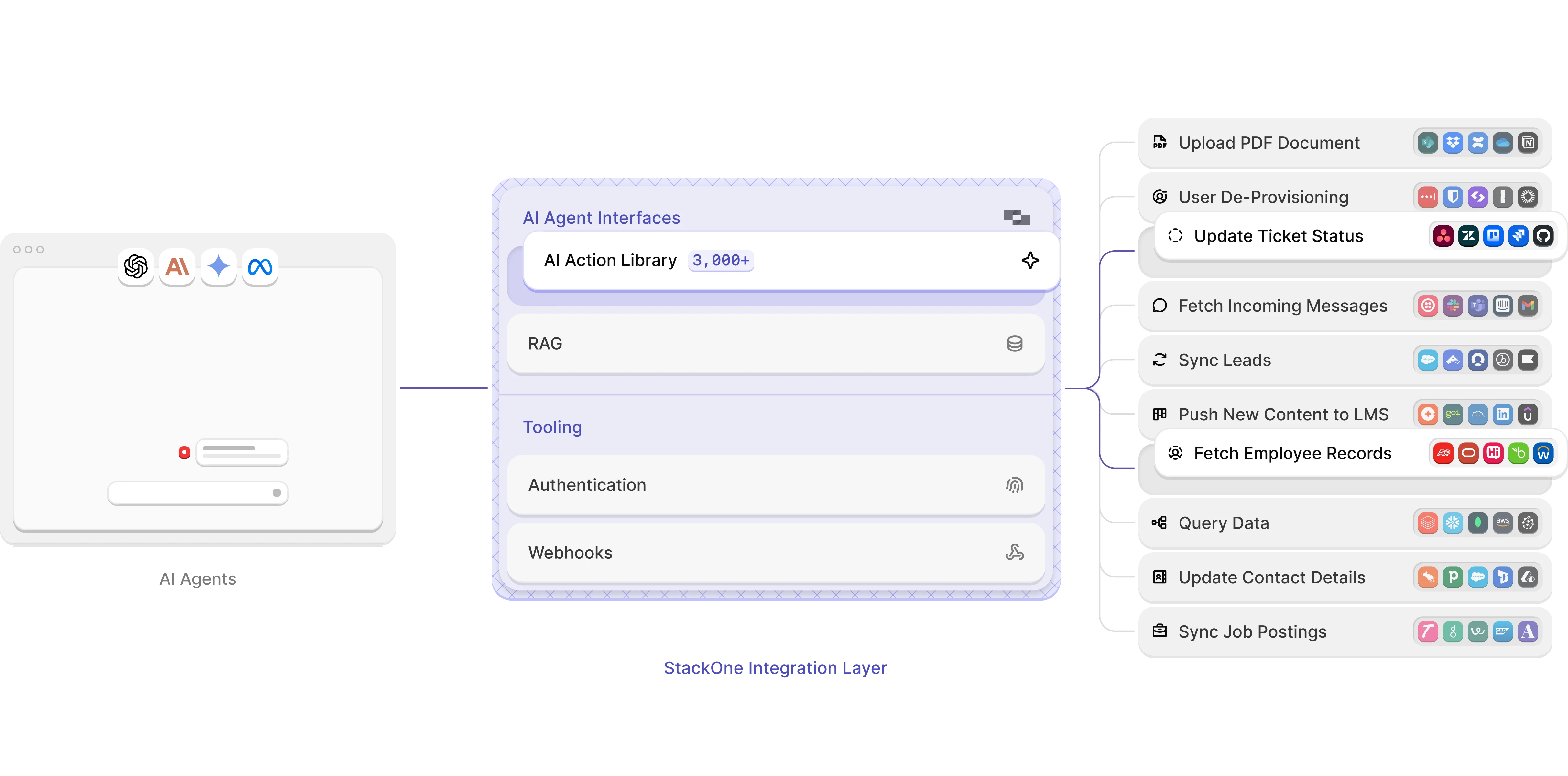
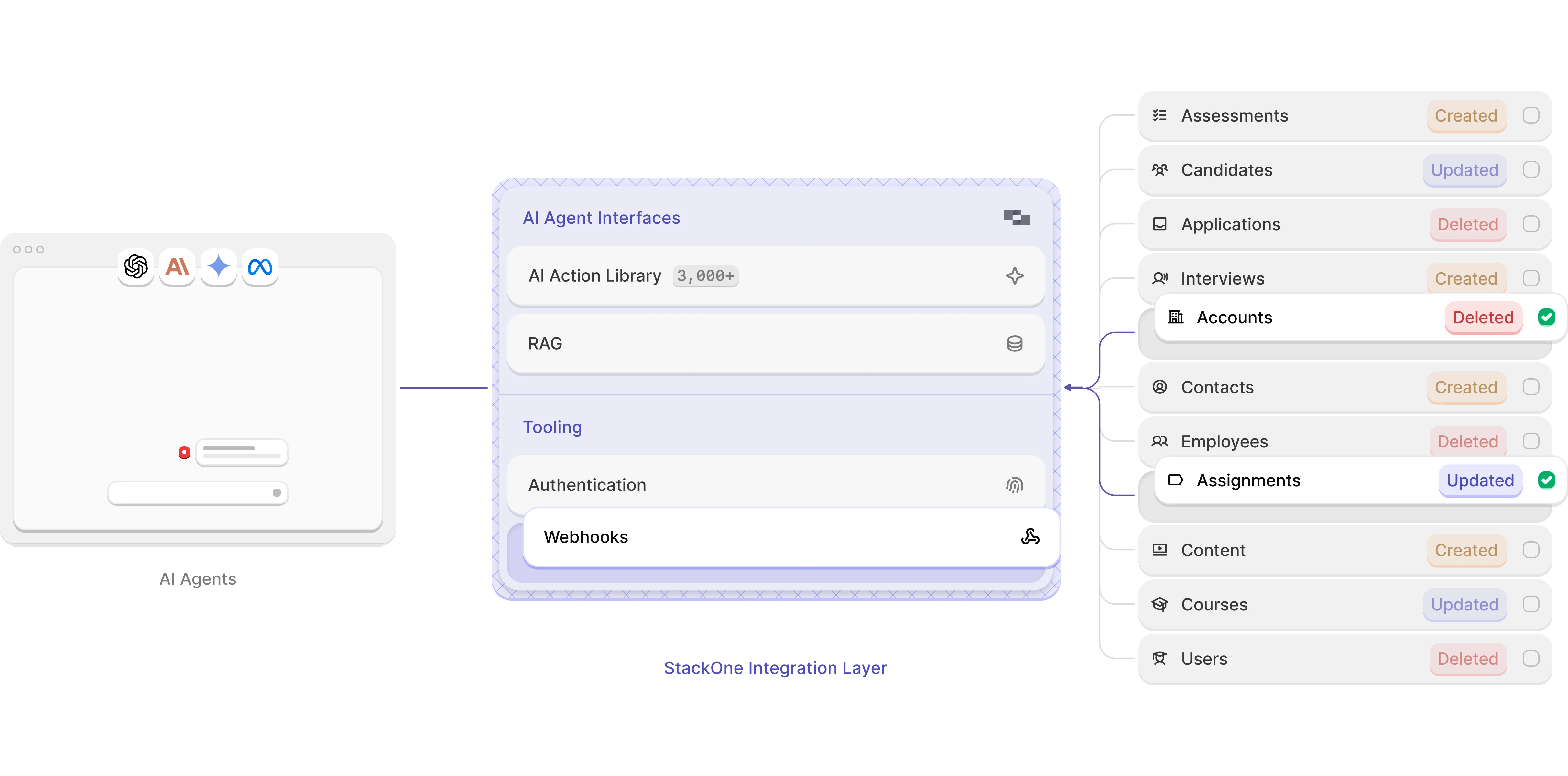
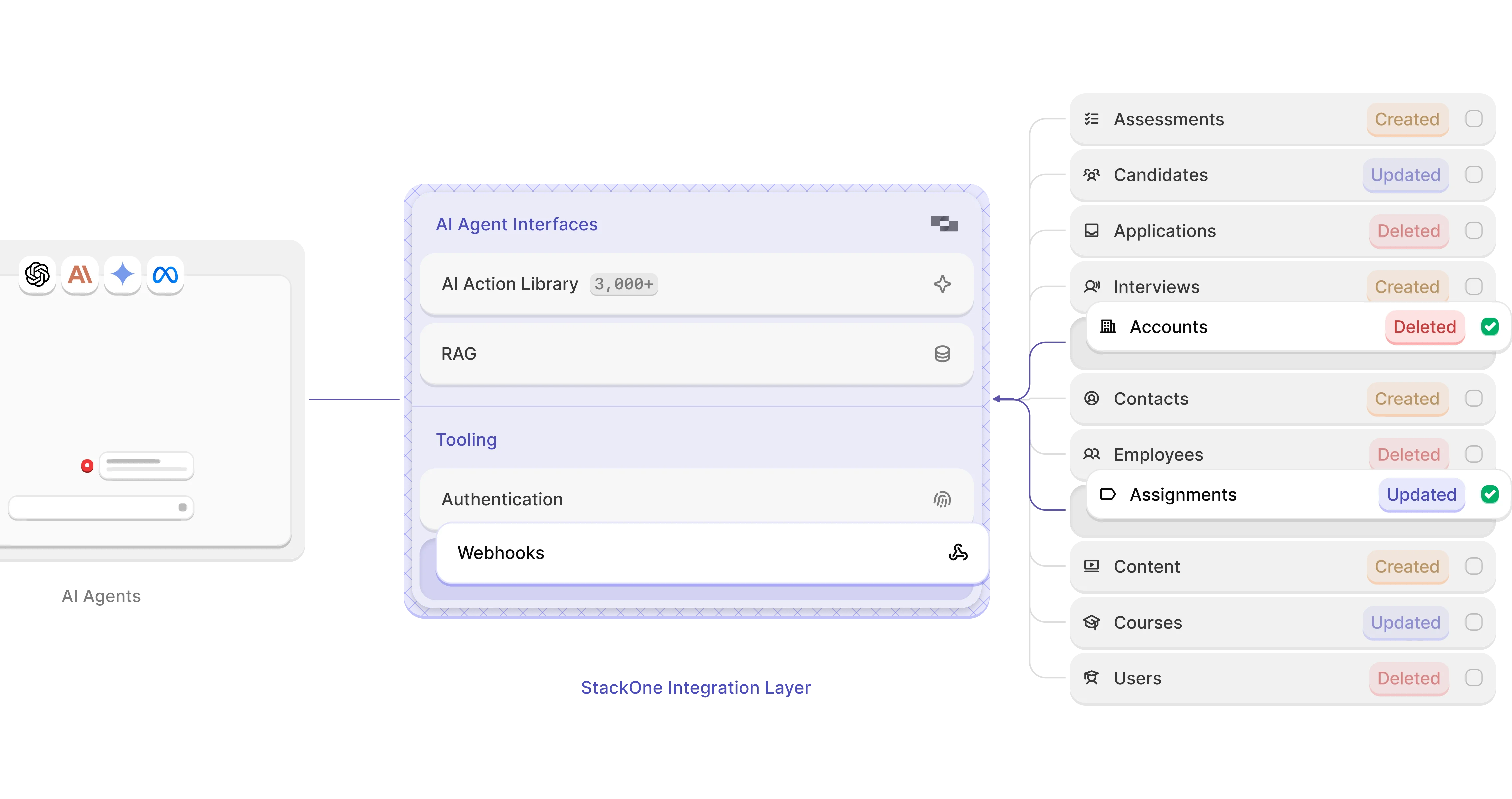
Empower your agents to interact seamlessly across an expansive range of SaaS and enterprise tools with straightforward multi tenant support. No manual setup or deep API knowledge required and out of the box compatibility with Open AI lib, LangChain, CrewAI, MCP protocol and many more.

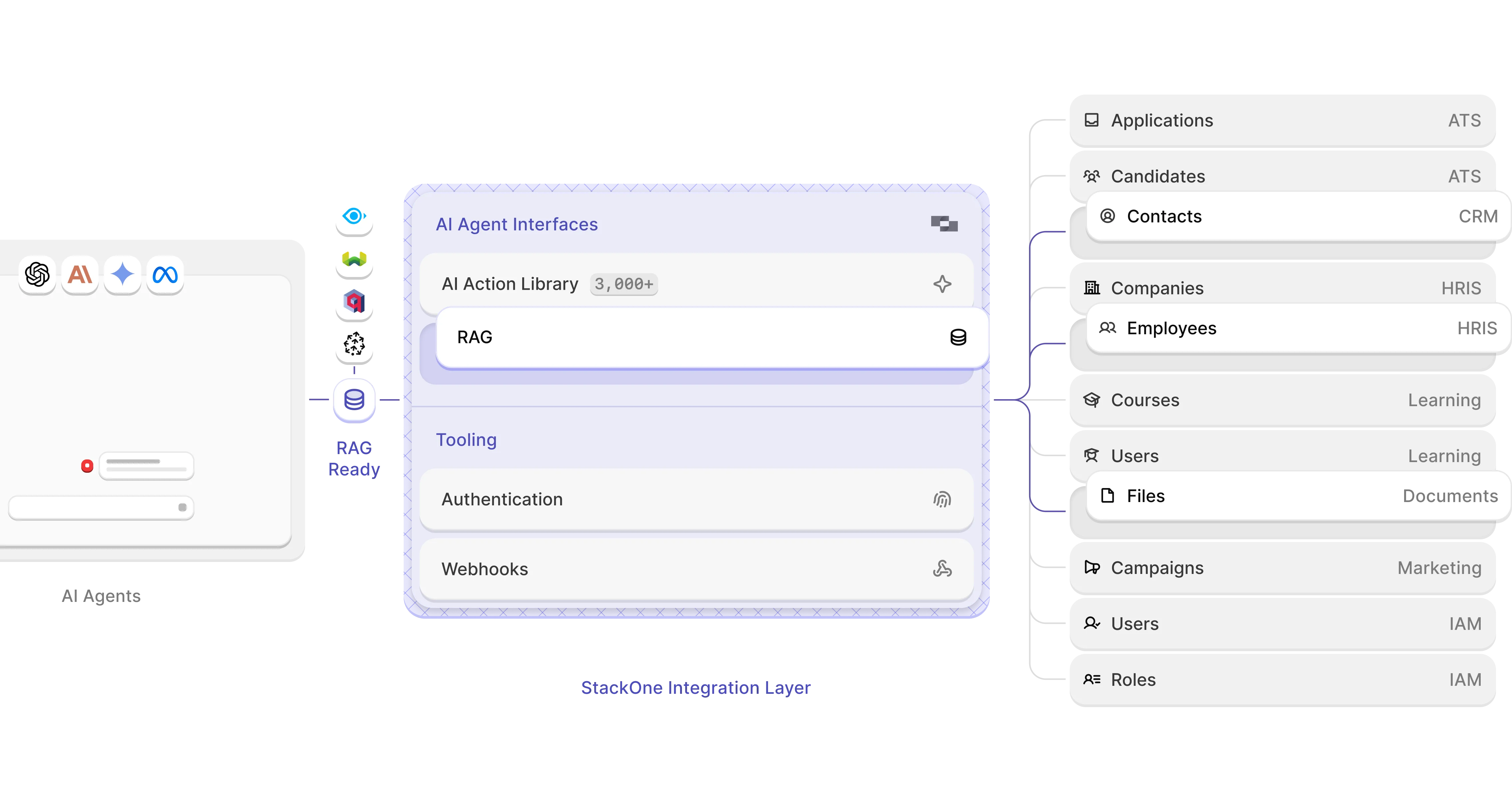
StackOne’s Unified API read endpoints provide structured, optimized payloads. This is ideal for accurate chunking and retrieval in RAG workflows so you can empower your agents with context-rich, precise responses from the data your customers value most.


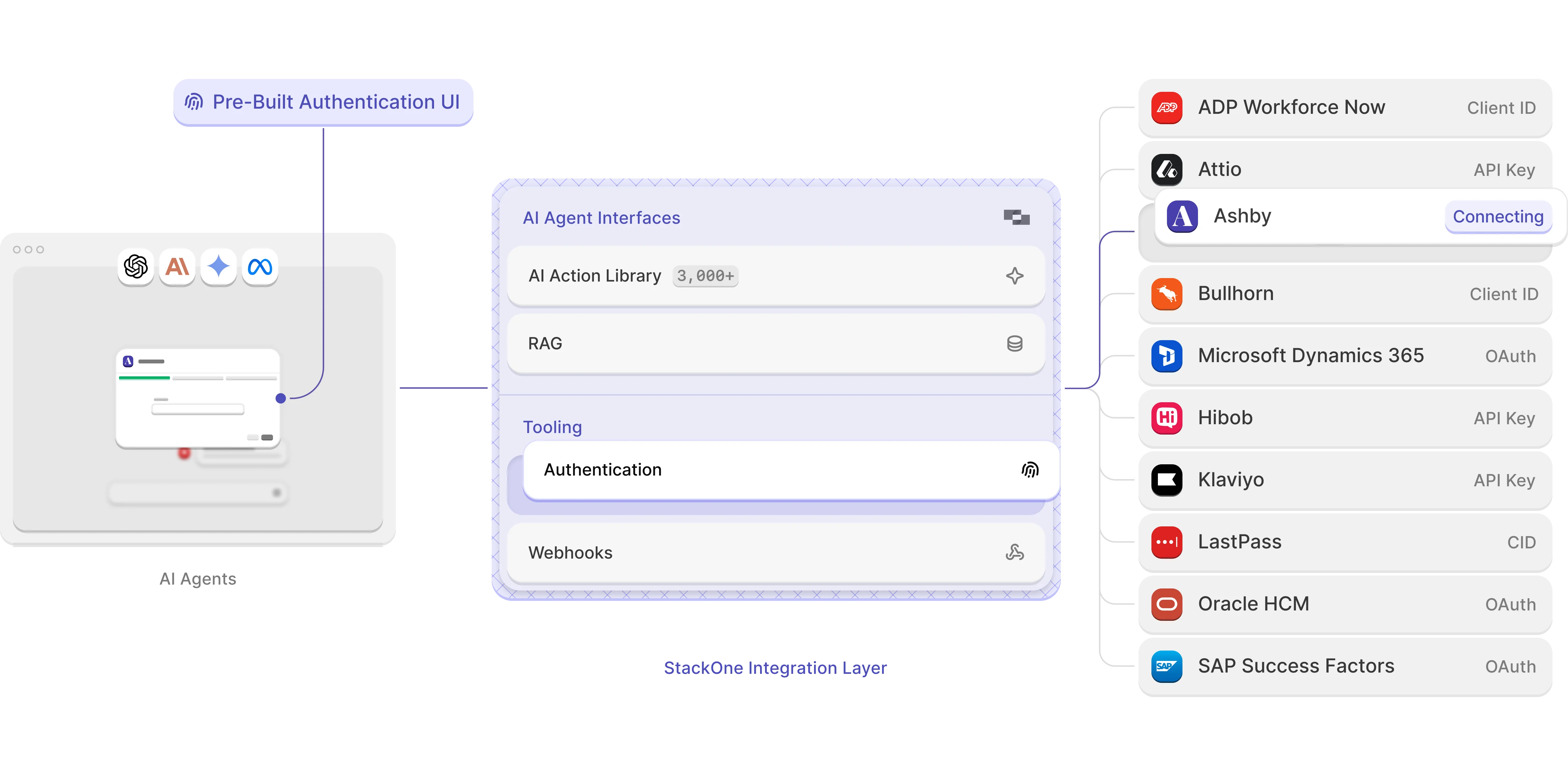
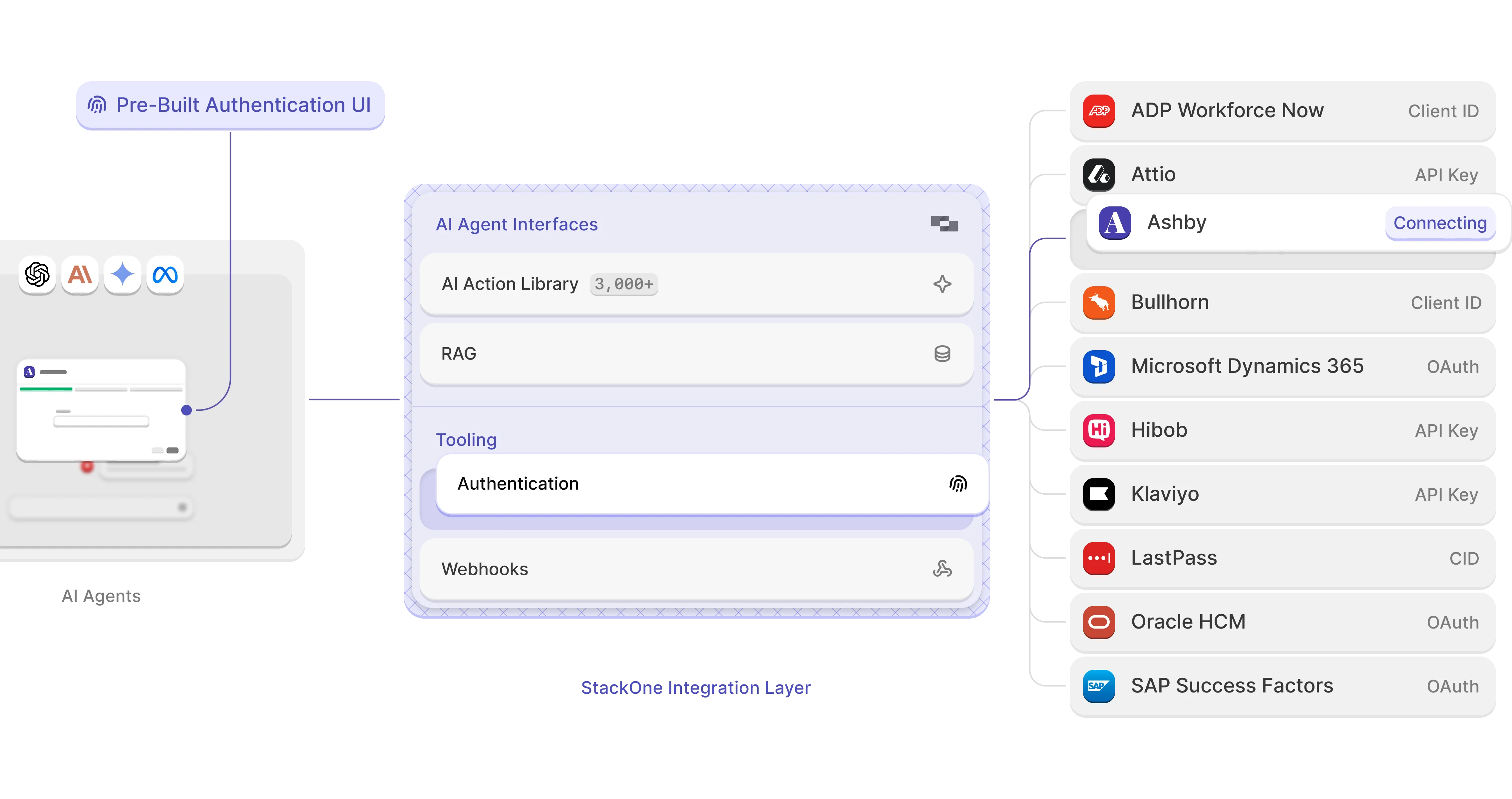
StackOne auto-detects and handles all authentication types via our embeddable Hub, clearing the path for your agents so they can focus on taking action without interruption while simplifying each tool call.

Pre‑written instructions for all integrations mean faster onboarding and fewer “How do I connect?” emails - plus the freedom to swap in your own guides anytime.

StackOne simplifies multi-tenant tool call authentication using account identifiers, improving accuracy and reducing credential errors. The dashboard lets you control AI actions per project or tenant for fine-grained access with minimal effort.
.png)
StackOne provides everything you need to integrate, scale, and monitor every tool call - covering a wide range of tools with deep, customizable control


Precisely manage which AI actions your agents can perform on a per-customer or per-project basis. StackOne gives you fine-grained control with easy-to-configure allowlists and denylists, enhancing compliance and security.

Choose across multiple data processing regions or go the self/hybrid rout with deployment options tailored to your business needs.

Built with security and privacy at its core, StackOne meets stringent enterprise standards, including SOC 2, GDPR, and HIPAA compliance. Our no-storage-by-default architecture keeps your and your customers data protected, secure, and private. Check out our security policies and certifications at trust.stackone.com.


StackOne’s Integration Copilot, powered by StackChat, guides you through building, testing, and shipping integrations. With knowledge of 600+ APIs at your fingertips, you can access pre-indexed resources and receive real-time help, cutting down development time and eliminating guesswork.

Leverage StackOne’s Magic Mappings to create custom tools effortlessly - no coding or diving into individual SaaS APIs required. Our AI-powered system auto-generates the necessary API calls and transformations to fit your schema.


StackOne is built with open-source at its core, from our use of Instructor or LangChain to Zod, vLLM, SST and more. That's why we're also commited to support and develop open-source projects to empower AI agent builders everywhere.


























.svg)